

You have three separate PDF files — a cover letter, a CV and a portfolio — and you need to send them as a single document. Or you have multiple invoice pages, a bank statement split across several files, or a report that arrived in separate sections. You need to merge them into one clean PDF, fast and free.
The problem is that most free PDF mergers require you to upload your documents to a remote server. For a casual document this might feel harmless. But think about what people typically need to merge: financial statements, legal contracts, medical records, job application documents, tax certificates and personal identification files.
In this guide we will show you how to merge any PDF files online for free — instantly in your browser, with no upload, no signup and no account — using PDFStream, while keeping your documents completely private on your own device.
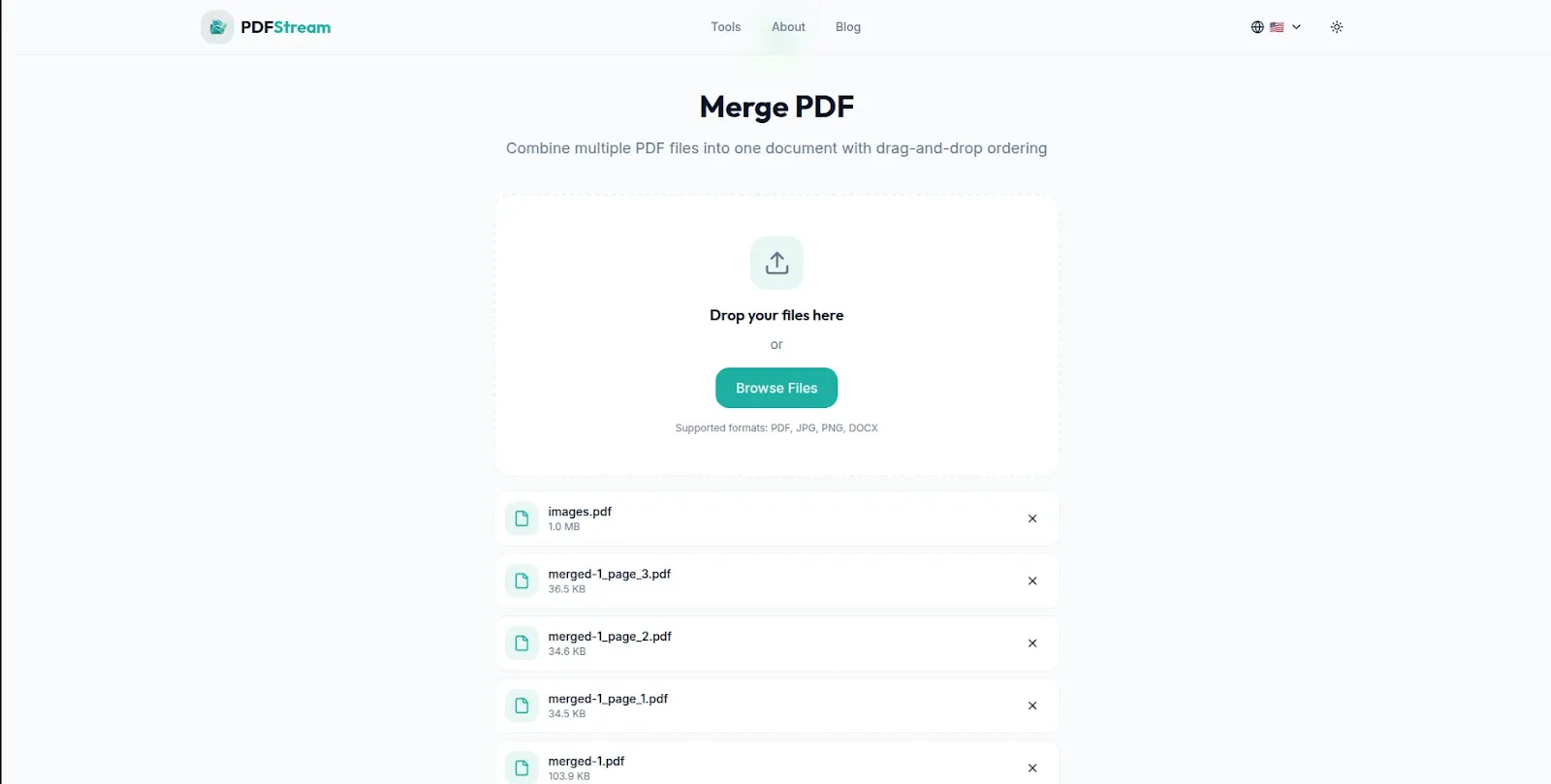
PDFStream — Merge PDF files free in your browser. No uploads, no signup required.
Why Uploading PDFs to Merge Them Is a Privacy Risk
Most people do not think twice about uploading a PDF to a free online merger. But understanding what happens when you do helps you make a more informed choice about which tool to use for sensitive documents.
Your documents are stored on someone else's server: When you upload a PDF to an online merger, the file is transmitted across the internet and stored on the tool provider's servers — often for hours, sometimes for days. The exact retention policies vary by provider and are rarely read by users before uploading.
Transmission creates interception risk: Data travelling between your device and a remote server — even over HTTPS — passes through multiple network nodes. While encryption protects against most interception, no transmission is completely risk-free.
You cannot verify deletion: When a free service tells you they delete your files after one hour or 24 hours, you are taking their word for it. There is no technical way for you to verify that your documents have actually been deleted from their systems.
Free tools need revenue: Free online services have operating costs. If you are not paying with money, consider what you may be paying with. Document content, usage patterns and metadata have commercial value.
The safest approach — particularly for professional, legal and financial documents — is using a browser-based tool that merges your PDFs locally on your own device, with nothing transmitted to any server.
How to Merge PDF Files for Free Using PDFStream
PDFStream is a free browser-based PDF toolkit that merges PDF files entirely in your browser. Your documents never leave your device throughout the entire process. Here is exactly how to use it:
Step 1: Open PDFStream in Your Browser
Go to pdfstream.nzuki.com in any modern browser — Chrome, Edge, Firefox or Brave on desktop, tablet or mobile. No account, no installation and no signup required.
Step 2: Load Your PDF Files
Click the upload area or drag and drop your PDF files onto the page. You can add as many PDF files as you need to merge. PDFStream loads each file directly into your browser memory — none of them are transmitted to any server at any point.
Step 3: Arrange the Order
Drag and drop your PDF files into the order you want them to appear in the final merged document. The first file in the list becomes the first section of your merged PDF — so arrange your documents in the exact sequence you need before merging.
Step 4: Merge and Download
Click Merge — the operation completes instantly in your browser. Download your merged PDF file and it is ready to send, share or print immediately. No waiting, no email confirmation and no account required.
No upload. No signup. No privacy risk. Completely free.
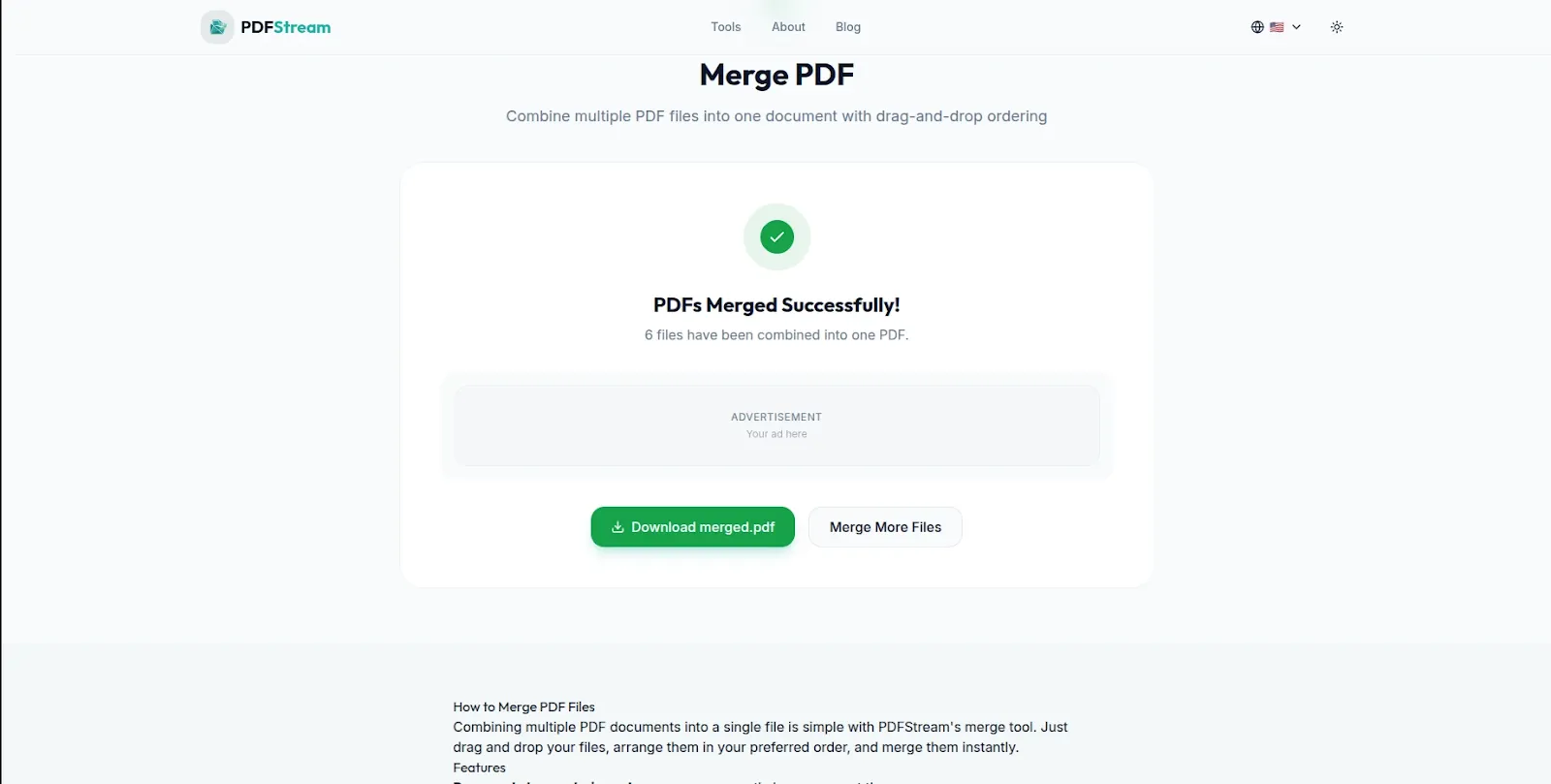
Multiple PDFs merged into one document instantly — download and share immediately.
What Documents Do People Most Commonly Merge?
Understanding the most common PDF merging use cases helps you identify when PDFStream is the right tool — and why privacy matters for each of them:
Job application documents: Combining a CV, cover letter, academic certificates and portfolio into a single submission file. These documents contain your personal information, employment history, qualifications and contact details — exactly the kind of content you want to keep off random servers.
Financial and tax documents: Merging bank statements, payslips, tax certificates and financial summaries for loan applications, mortgage approvals or tax submissions. Financial documents are among the most sensitive personal files you handle.
Legal contracts and agreements: Combining multiple sections of a legal agreement, adding signature pages or merging related contracts into a single document for filing. Legal documents often contain confidential business information and personal legal obligations.
Medical records: Combining test results, prescription records, referral letters and medical history files for specialist appointments or insurance claims. Medical information is among the most private data you possess.
Business proposals and reports: Merging a cover page, executive summary, detailed proposal sections and appendices into a single professional document for client delivery. Business proposals often contain proprietary strategy and pricing information.
Student submissions: Combining assignment pages, research appendices, reference lists and cover sheets into a single submission document. Academic work represents original intellectual effort that deserves protection.
Tips for Better PDF Merging Results
Check page orientation before merging: If you are merging documents with different page orientations — some portrait, some landscape — preview the result after merging to ensure the page flow makes sense. Rotate pages if needed before merging.
Compress large PDFs before merging: If you are merging several large PDF files, the resulting merged document may be very large. Use PDFStream's compression tool to reduce each file before merging — this keeps your final merged PDF to a manageable size for email and sharing. See our guide on how to compress a PDF file free for detailed steps.
Name your files clearly before uploading: PDFStream uses your file names to label documents in the merge queue. Naming your files clearly before loading them — for example "01-cover-letter.pdf", "02-cv.pdf", "03-certificates.pdf" — makes it easy to arrange them in the correct order.
Merge related documents in one session: PDFStream lets you add as many files as you need in a single merge operation. Rather than merging two files, then merging the result with a third, add all your files at once and merge everything in a single step for the cleanest result.
Frequently Asked Questions
Is PDFStream free for merging PDF files?
Yes — completely free. No hidden fees, no daily limits, no account required. PDFStream is built and maintained by VelocityAI Solutions as a free tool for everyone.
How many PDF files can I merge at once with PDFStream?
PDFStream allows you to merge as many PDF files as you need in a single operation. There is no file count limit — add all your documents and merge them together in one step.
Does PDFStream upload my PDF files to a server?
No — PDFStream processes all merging locally in your browser. Your PDF files never leave your device. No server ever sees your document content — making it the safest free PDF merger for sensitive professional and personal documents.
Can I merge PDF files on my phone using PDFStream?
Yes. PDFStream works fully on Android and iOS browsers without any app installation. Merge PDF files directly on your smartphone or tablet — useful for quickly combining documents when working on mobile.
Is there a file size limit for PDFs in PDFStream?
PDFStream handles standard PDF files used in typical business and personal workflows. Very large PDFs with hundreds of high-resolution pages may take a moment longer to process but the tool handles most common documents without issues.
What other PDF tools does PDFStream offer besides merging?
PDFStream offers a complete browser-based PDF toolkit — split PDF, compress PDF, convert PDF to Word and remove pages — all free, all processed locally in your browser with no uploads. See our guide on how to split a PDF into separate pages free for the full toolkit overview.
Conclusion
Merging PDF files should be fast, free and private. PDFStream gives you all three — a completely free PDF merger that works instantly in your browser with no uploads, no account and no privacy risk. Your documents stay entirely on your device from start to finish.
Whether you are combining job application documents, merging financial records, assembling a business proposal or consolidating student submissions — PDFStream handles it privately and for free.
Go to pdfstream.nzuki.com and merge your PDF files in under sixty seconds.
Also check our other free browser-based PDF tools: split PDF into separate pages, convert PDF to Word free and is it safe to upload PDFs online?
🚀 Need a Professional Website or Custom Tool for Your Business?
VelocityAI Solutions builds AI-powered websites, mobile apps and business automation tools for businesses in Nairobi and beyond — at startup-friendly prices.
✅ Web Development | ✅ Mobile Apps | ✅ Business Automation | ✅ Cybersecurity
🌐 velocity-ai-solutions.nzuki.com
💬 WhatsApp: +254 735 644 100
📩 info.nzuki@gmail.com


0 Comments