

You have a JPG photo, a PNG screenshot or a Word document — and you need it as a PDF. Maybe you are submitting a form that only accepts PDF. Maybe you need to combine several photos into one professional document. Maybe you want your image to look consistent across every device it is opened on, without the formatting shifting.
Converting an image to PDF is a task millions of people need every day — and yet most free tools make it harder than it needs to be. They upload your files to remote servers, ask you to create an account before downloading, show you ads between every step or limit you to a handful of conversions per day on the free plan.
In this guide we will show you how to convert any image to PDF for free — instantly in your browser, with no upload, no signup and no account — using PDFStream.
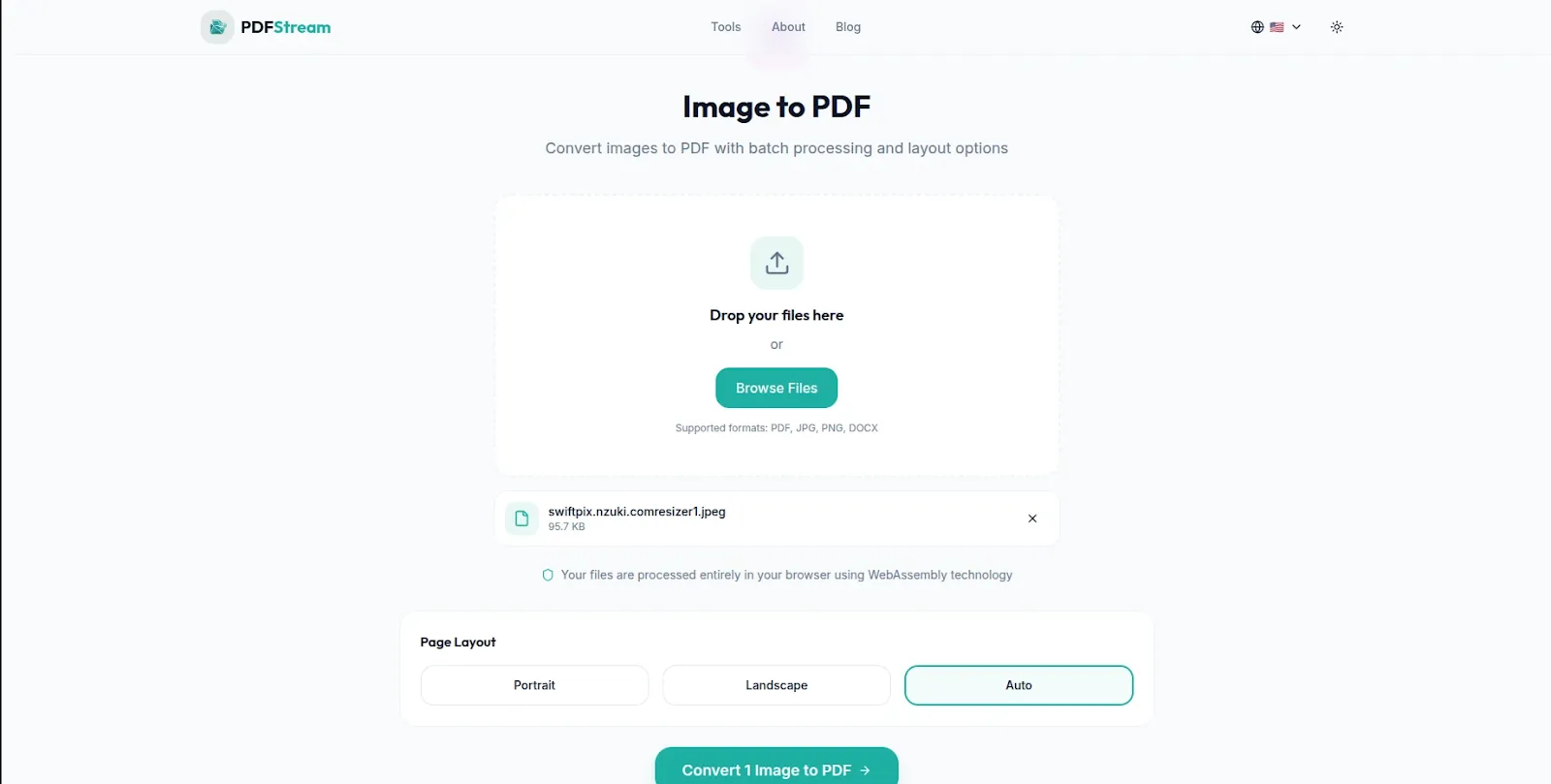
PDFStream — Convert images to PDF free in your browser. No uploads, no signup required.
How to Convert an Image to PDF for Free Using PDFStream
PDFStream is a free browser-based PDF toolkit that converts images to PDF entirely in your browser — using WebAssembly technology that processes your files locally on your device. Nothing is ever uploaded to any server. Here is exactly how to use it:
Step 1: Open PDFStream in Your Browser
Go to pdfstream.nzuki.com in any modern browser — Chrome, Edge, Firefox or Brave on desktop, tablet or mobile. No account, no installation and no signup required. Select the Image to PDF tool from the tools menu.
Step 2: Load Your Image Files
Click Browse Files or drag and drop your image files onto the page. PDFStream supports JPG, PNG and DOCX as input formats. You can add multiple images at once — PDFStream will combine them into a single PDF document in the order you arrange them. Your files load directly into your browser memory and never leave your device.
Step 3: Arrange and Configure
If you are combining multiple images, arrange them in the order you want them to appear in the final PDF. PDFStream preserves your image quality and layout — your images will appear in the PDF exactly as they look in the original files with no quality loss.
Step 4: Convert and Download
Click Convert — the operation completes instantly in your browser. Download your PDF file and it is immediately ready to share, email, print or upload to any portal or submission system.
No upload. No signup. No daily limit. No watermarks. Completely free.
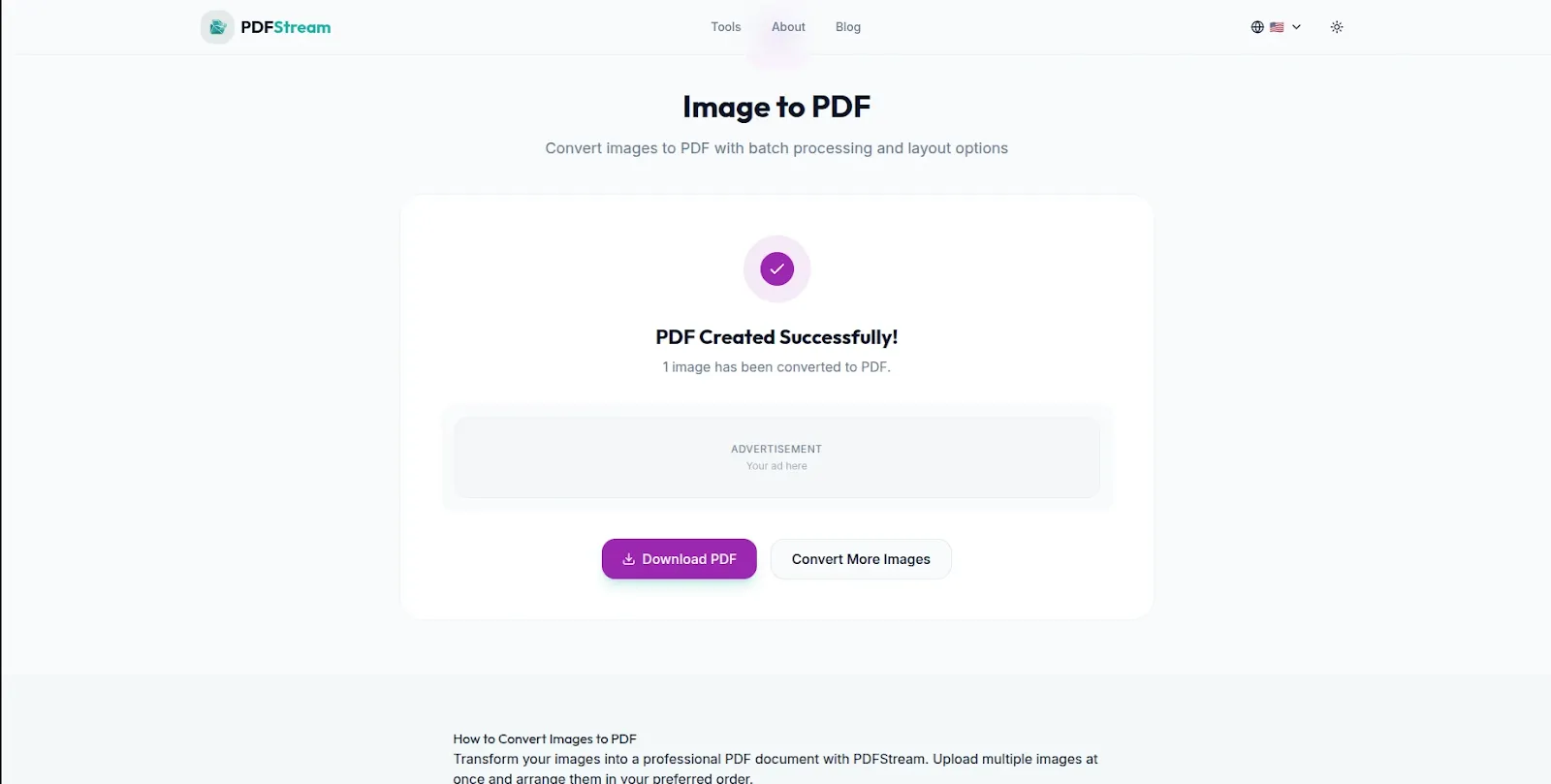
Images converted to PDF instantly — ready to share, email or print immediately.
Why Convert Images to PDF?
Universal compatibility: PDF is the most universally compatible document format in the world. A PDF opened on a Windows PC, a Mac, an iPhone, an Android tablet or a Linux computer looks identical — the same layout, the same fonts, the same image quality. JPG and PNG files can display differently depending on the software used to open them. When consistency matters, PDF is the right choice.
Professional presentation: Sending a photo as a JPG attachment looks casual. Sending the same image as a PDF looks professional — particularly for portfolios, certificates, receipts, invoices and official documents.
Portal and form submissions: Government portals, university application systems, HR platforms and tender submission systems almost universally accept PDF but frequently reject JPG or PNG files. Converting your images to PDF before submission is often the difference between a successful upload and a rejected file.
Combining multiple images into one document: Sending ten individual JPG photos is clunky for the recipient — they arrive as ten separate attachments and are difficult to organize. Converting all ten into a single PDF creates one clean document that is easy to open, review and store.
Preserving image quality for printing: PDFs handle print workflows significantly better than loose image files. When you need to send an image to a print shop, converting to PDF first gives you better control over resolution, page size and print margins.
What Formats Does PDFStream Support?
JPG / JPEG: The most common photo format — used by digital cameras, smartphones and most image sharing platforms. JPG photos convert cleanly to PDF with full quality preservation.
PNG: The standard format for screenshots, graphics, logos and images with transparent backgrounds. PNG files convert to PDF with lossless quality — ideal for documents that include diagrams, interface screenshots and branded graphics.
DOCX: Microsoft Word documents can also be converted to PDF — useful when you need to share a document in a format that cannot be easily edited by the recipient.
Common Use Cases
Job and visa applications: Passport photos, certificates and supporting documents are frequently required in PDF format. Converting your JPG or PNG files before submitting ensures your application is accepted without format errors.
Receipt and invoice management: Photographing receipts with your phone produces JPG images that are difficult to organize. Converting receipt photos to PDF — individually or combined into monthly expense reports — makes financial record keeping significantly cleaner.
Portfolio creation: Designers, photographers and creative professionals often need to combine multiple images into a single portfolio document. PDFStream converts and combines your images into a single professionally formatted PDF in one operation.
Sharing screenshots as documents: Technical teams and developers frequently need to share annotated screenshots as formal documentation. Converting PNG screenshots to PDF creates a more professional deliverable than a loose image file.
Medical and insurance documents: Test results, prescriptions and medical images shared via email or uploaded to patient portals are often required in PDF format.
Frequently Asked Questions
Is PDFStream free for image to PDF conversion?
Yes — completely free. No hidden fees, no daily limits, no account required and no watermarks added to your PDF. PDFStream is built and maintained by VelocityAI Solutions as a free tool for everyone.
Does PDFStream upload my images to a server?
No — PDFStream processes all conversions locally in your browser using WebAssembly technology. Your image files never leave your device — making it the safest free image to PDF converter for sensitive photos and documents.
Can I convert multiple images into one PDF at once?
Yes. PDFStream lets you add multiple image files and combines them into a single PDF document. Arrange your images in the order you want them to appear in the final PDF before converting.
Will my image quality be preserved in the PDF?
Yes — PDFStream converts your images to PDF without any quality reduction. Your images appear in the PDF at the same resolution and clarity as the original files.
Can I convert images to PDF on my phone?
Yes. PDFStream works fully on Android and iOS browsers without any app installation. Convert images to PDF directly on your smartphone — useful for converting photos taken on your phone for portal submissions and professional sharing.
Conclusion
Converting images to PDF should be instant, free and private. PDFStream delivers all three — a completely free image to PDF converter that works in your browser with no uploads, no account and no privacy risk. Convert JPG, PNG and DOCX files to PDF individually or combine multiple images into a single professional document.
Go to pdfstream.nzuki.com and convert your images to PDF in under sixty seconds.
Also check our other free PDF tools: merge PDF files free, compress PDF file free, split PDF into separate pages and convert PDF to Word free.
🚀 Need a Professional Website or Custom Tool for Your Business?
VelocityAI Solutions builds AI-powered websites, mobile apps and business automation tools for businesses in Nairobi and beyond — at startup-friendly prices.
✅ Web Development | ✅ Mobile Apps | ✅ Business Automation | ✅ Cybersecurity
🌐 velocity-ai-solutions.nzuki.com
💬 WhatsApp: +254 735 644 100
📩 info.nzuki@gmail.com


0 Comments