

You can write well and still lose your audience. Not because your ideas are bad — but because your writing is too complex for the people you are trying to reach. Long sentences, dense paragraphs, technical vocabulary and passive voice all make content harder to read — even when the content itself is valuable.
Readability is the measure of how easy your content is to understand. And in 2026, it matters more than ever — for SEO, for reader retention, for conversion rates and for accessibility. Google's algorithms increasingly favour content that matches the reading level of the audience searching for it. Readers who struggle to understand your writing leave quickly — and high bounce rates signal poor content quality to search engines.
In this guide we will explain what readability scores mean, why they matter for your writing and SEO, and how to check your readability for free — instantly, in your browser, with no signup — using WordCounter.
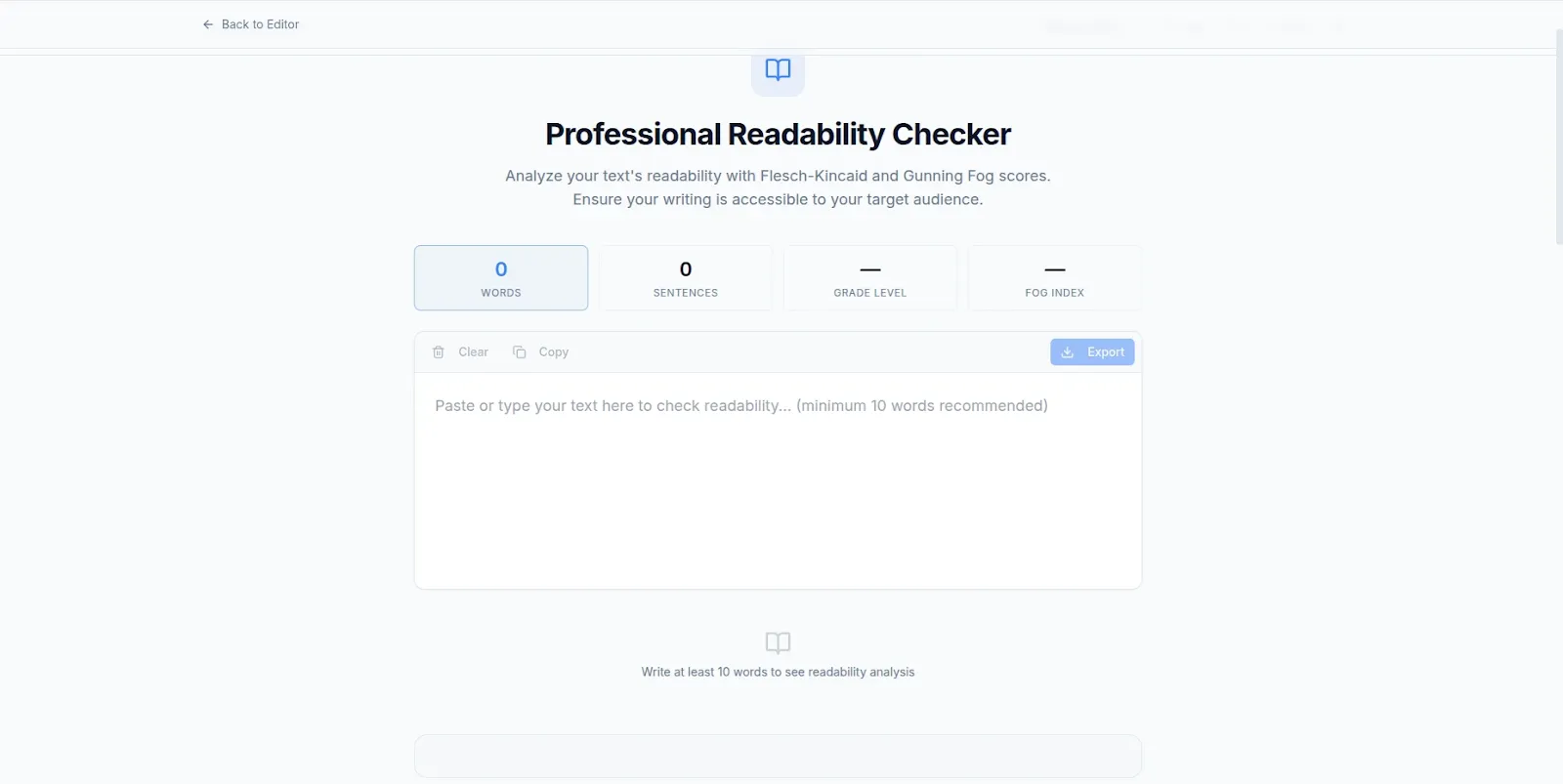
WordCounter — Free readability checker. Check your score instantly, no signup required.
How to Check Your Readability Score for Free Using WordCounter
WordCounter is a free browser-based writing analysis tool built by VelocityAI Solutions that includes a built-in readability checker — alongside word count, character count, keyword density, reading time and sentence analysis. Everything works in your browser with no file uploads and no account required.
Step 1: Open WordCounter in Your Browser
Go to wordcounter.nzuki.com in any modern browser on desktop or mobile. Select the Readability Checker from the Writing Tools menu. No account, no installation and no signup required.
Step 2: Paste Your Content
Copy your article, blog post, essay, email or any piece of writing and paste it into the WordCounter text area. Your text is processed entirely in your browser — it is never uploaded to any server or stored anywhere outside your device.
Step 3: Read Your Readability Score
WordCounter instantly displays your readability score and grade level. You will see your Flesch Reading Ease score — a number between 0 and 100 — and the corresponding school grade level needed to understand your content comfortably. You will also see your average sentence length and average syllable count per word — the two main drivers of readability.
Step 4: Improve and Recheck
Based on your score, make targeted improvements to your text — shorten long sentences, replace complex words with simpler alternatives, break up long paragraphs. Recheck your score instantly as you edit to see the improvement in real time. No need to copy-paste again — WordCounter updates your score as you type directly in the text area.
No upload. No signup. No account. Completely free.
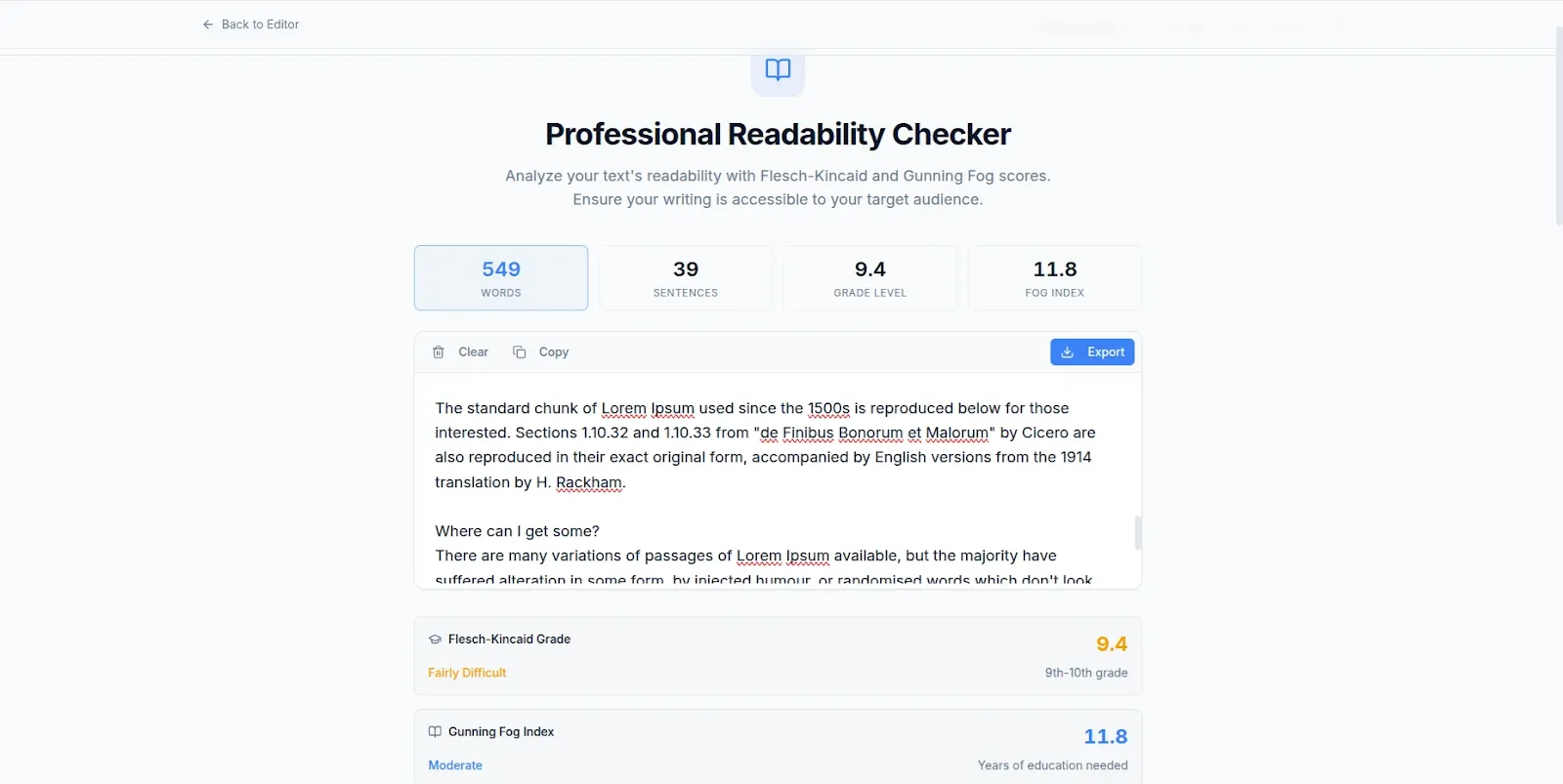
Readability score, grade level and writing analysis — all instantly, all free.
What Is a Readability Score?
A readability score is a numerical measure of how easy a piece of text is to read and understand. The most widely used readability formula is the Flesch Reading Ease score — developed by Rudolf Flesch in 1948 and still the standard measurement used by editors, publishers, SEO tools and accessibility checkers today.
The Flesch Reading Ease score ranges from 0 to 100:
90 to 100 — Very Easy: Understood by an average 11-year-old. Conversational, short sentences, simple vocabulary. Suitable for consumer-facing content, social media and general audience blog posts.
70 to 90 — Easy: Conversational English understood by most adults. The target range for most blog posts, news articles and marketing copy aimed at a general audience.
60 to 70 — Standard: Plain English understood by 13 to 15 year olds. The recommended range for most web content — including educational articles, how-to guides and business communications.
50 to 60 — Fairly Difficult: Requires some academic background to follow comfortably. Suitable for professional and technical content aimed at educated audiences.
30 to 50 — Difficult: Best understood by university-educated readers. Appropriate for academic papers, legal documents and specialized professional writing.
0 to 30 — Very Difficult: Best understood by university graduates with specific subject expertise. Appropriate for highly technical, legal or scientific writing aimed at specialists.
Why Readability Matters for SEO and Reader Retention
Most writers focus on keyword optimization and word count for SEO — and ignore readability entirely. This is a significant missed opportunity. Here is why readability directly affects your search rankings and content performance:
Bounce rate and dwell time: When readers land on your page and find the content difficult to read, they leave quickly. Google measures how long readers stay on your page after clicking from search results — low dwell time and high bounce rate signal poor content quality and push your rankings down. Content that is easy to read keeps readers on page longer, improving these signals.
Mobile reading behaviour: The majority of web content is now read on mobile devices — small screens, short attention spans, often in motion. Mobile readers are even less tolerant of dense, complex writing than desktop readers. Short sentences, short paragraphs and plain language are not just stylistic preferences — they are essential for mobile content performance.
Voice search optimization: Voice search queries are conversational and natural. Content written in plain, conversational language matches voice search results far better than formal, complex writing. As voice search continues to grow, readability becomes increasingly important for capturing voice search traffic.
Accessibility: Plain, clear writing is more accessible to readers with dyslexia, attention difficulties and non-native English speakers — expanding your potential audience significantly. Web accessibility is increasingly considered by search engines as a content quality signal.
Conversion rates: Marketing copy, landing pages and product descriptions that are easy to read convert better than complex alternatives. Readers who understand your value proposition quickly are more likely to take action — whether that is signing up, buying or contacting you.
What Is a Good Readability Score for Your Content Type?
Blog posts and general web content: Aim for a Flesch Reading Ease score of 60 to 70 — Standard to Fairly Easy. This range is accessible to the broadest possible online audience without feeling oversimplified.
Marketing copy and landing pages: Aim for 70 to 80 — Easy. Marketing copy should be immediately clear and compelling. Complex sentences slow down decision-making and reduce conversion rates.
Email newsletters: Aim for 65 to 75. Emails are read quickly and often on mobile — plain, direct language performs significantly better than formal or complex writing in email campaigns.
Technical documentation: 40 to 60 is acceptable for content aimed at technical professionals. Your audience has the subject expertise to follow more complex explanations — but clarity still matters even for specialist content.
Academic and legal writing: 20 to 50 is standard for academic papers, legal documents and medical literature — these formats have established conventions that prioritize precision over accessibility.
Practical Tips to Improve Your Readability Score
Shorten your sentences: The single most effective way to improve readability is to shorten your average sentence length. Aim for an average of 15 to 20 words per sentence. When you write a sentence that runs longer than 25 to 30 words, look for a natural place to split it into two.
Use simpler words: Replace multi-syllable words with shorter, more common alternatives wherever possible. "Use" instead of "utilize". "Show" instead of "demonstrate". "Help" instead of "facilitate". Simpler words are not less intelligent — they are more effective communication.
Write in active voice: Active voice produces shorter, clearer sentences than passive voice. "We built the tool" (active) is cleaner than "The tool was built by us" (passive). WordCounter's sentence analysis helps you identify passive constructions to revise.
Break up long paragraphs: Online readers scan before they read. Long paragraphs are visually intimidating on screen and on mobile. Keep most paragraphs to 3 to 4 sentences and use subheadings to break up sections of longer content.
Vary sentence length deliberately: A mix of short and long sentences creates rhythm and keeps readers engaged. A very short sentence after several longer ones adds emphasis and improves flow. Pure uniformity — all short or all long — is monotonous to read.
Frequently Asked Questions
Is WordCounter's readability checker free?
Yes — completely free. No hidden fees, no account required and no daily limits. WordCounter is built and maintained by VelocityAI Solutions as a free tool for writers, bloggers, students and SEO professionals.
What readability score should I aim for?
For most blog posts and web content, aim for a Flesch Reading Ease score of 60 to 70. For marketing copy and landing pages, aim for 70 to 80. For technical or professional content, 40 to 60 is acceptable. The right target depends on your specific audience and content type.
Does WordCounter store my content when checking readability?
No — WordCounter processes your text entirely in your browser. Nothing is uploaded to any server. Your writing stays completely private on your own device — important for original content, confidential documents and sensitive material.
What other writing tools does WordCounter offer?
Beyond the readability checker, WordCounter offers word count, character counter, sentence counter, paragraph counter, word frequency analysis, keyword density checker, reading time, speaking time and SEO analyzer — all free, all in one place. See our guide on free word counter with keyword density checker for the full overview.
Can I use WordCounter's readability checker on mobile?
Yes. WordCounter works fully on Android and iOS browsers without any app installation. Check your readability score directly on your smartphone before publishing.
Conclusion
Readable content performs better — it ranks higher, retains readers longer, converts better and reaches a wider audience. WordCounter's free readability checker gives you instant, actionable feedback on your writing — so you can improve it before publishing, not after.
Check your Flesch Reading Ease score, identify your average sentence length and make targeted improvements that make your content clearer, more engaging and more effective — all free, all in your browser, with no signup required.
Go to wordcounter.nzuki.com and check your readability score now.
Also check our other free writing tools: free keyword density checker, free word counter for essays and our full suite of free browser-based tools.
🚀 Need a Professional Website or Custom Tool for Your Business?
VelocityAI Solutions builds AI-powered websites, mobile apps and business automation tools for businesses in Nairobi and beyond — at startup-friendly prices.
✅ Web Development | ✅ Mobile Apps | ✅ Business Automation | ✅ Cybersecurity
🌐 velocity-ai-solutions.nzuki.com
💬 WhatsApp: +254 735 644 100
📩 info.nzuki@gmail.com


0 Comments