

Whether you are a student trying to hit a 1,500-word essay limit, a blogger optimizing a post for SEO, or a professional writer checking keyword density before publishing — you need a word counter that does more than just count words.
Most free word counters online give you a single number and nothing else. But the best writing requires understanding your word count, your character count, your sentence structure, your reading time and your keyword distribution — all at once.
In this guide we will show you how to use WordCounter — a completely free browser-based writing analysis tool that gives you all of this instantly, with no signup, no upload and no fees.
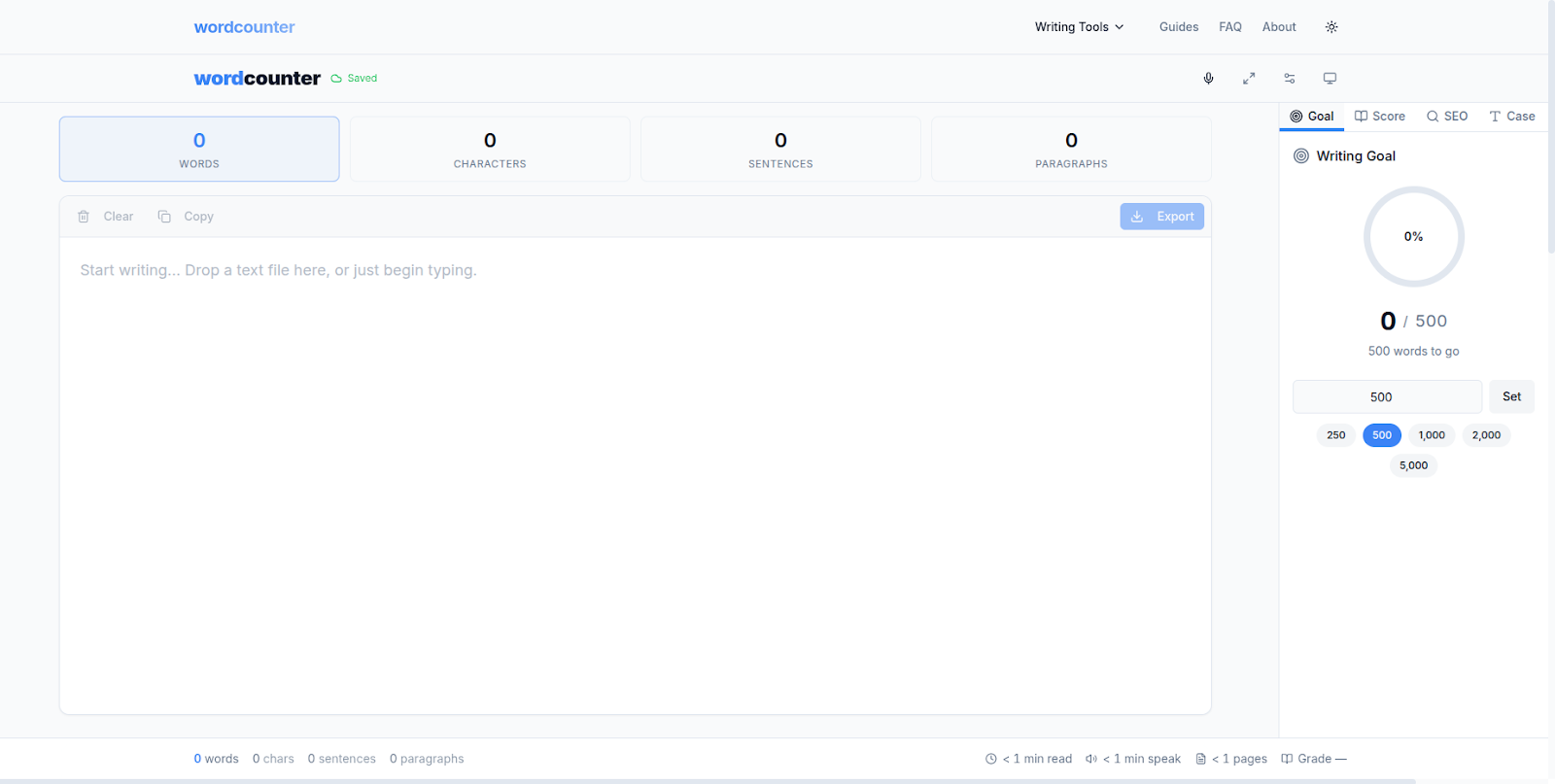
WordCounter — Free browser-based writing analysis tool. No signup required.
Why Word Count Matters More Than You Think
Word count is not just a number. It is a signal — to your professor, your editor, your audience and search engines — about the depth and quality of your writing. Here is why it matters across different writing contexts:
For Students and Academic Writing
Academic assignments almost always come with strict word count requirements. A college admission essay typically requires between 250 and 650 words. An undergraduate essay ranges from 1,500 to 5,000 words depending on the course level. A graduate school personal statement usually falls between 500 and 1,000 words. Going significantly over or under these limits can cost you marks — or get your submission rejected entirely.
For Bloggers and Content Creators
Blog posts that rank well on Google tend to be between 1,000 and 2,000 words for most topics. Shorter posts may lack enough depth to satisfy search intent. Longer posts may lose readers before the end. Knowing your word count in real time helps you find the right balance as you write — not after you have finished.
For SEO Writers and Marketers
Word count is only part of the picture for SEO. Keyword density — how often your target keyword appears relative to total word count — is equally important. Too low and Google may not understand what your page is about. Too high and you risk keyword stuffing penalties. The ideal keyword density for most topics is between 1% and 2% of total word count.
What Is WordCounter and What Can It Do?
WordCounter is a free, browser-based writing analysis tool built by VelocityAI Solutions. It goes far beyond basic word counting — giving you a complete picture of your text in seconds.
Here is everything WordCounter measures instantly:
- Word count — total words in your text
- Character count — with and without spaces
- Sentence count — total number of sentences
- Paragraph count — total number of paragraphs
- Reading time — estimated time for an average reader
- Speaking time — useful for presentations and speeches
- Keyword density — frequency of each word as a percentage of total
- Top keywords — the most used words in your text
- Readability score — indicates the education level needed to understand your writing
All of this happens instantly as you type or paste — no button to click, no file to upload, no account to create.
How to Use WordCounter for Your Essay (Step by Step)
Step 1: Open WordCounter in Your Browser
Go to wordcounter.nzuki.com in any modern browser — Chrome, Edge, Firefox or Brave all work perfectly on any device.
Step 2: Paste or Type Your Text
Either type directly into the text area or paste your essay, article or document into the input box. WordCounter starts analyzing your text immediately — you will see the word count, character count and other metrics update in real time as you type.
Step 3: Check Your Word and Character Count
The main dashboard shows your total word count and character count prominently. If you have a specific word limit for your essay — say 1,500 words — you can see at a glance exactly where you stand and how much more you need to write or cut.
Step 4: Analyze Keyword Density
Scroll down to the keyword density section to see your most frequently used words and their percentage of total word count. For SEO writing, check that your primary keyword appears between 1% and 2% of total words. For academic writing, use this to identify overused words and improve vocabulary variety.
Step 5: Check Reading Time
The reading time estimate shows how long it will take an average reader to get through your text. For blog posts this is valuable for setting reader expectations. For presentations and speeches, the speaking time estimate helps you fit your content into your allotted time slot.
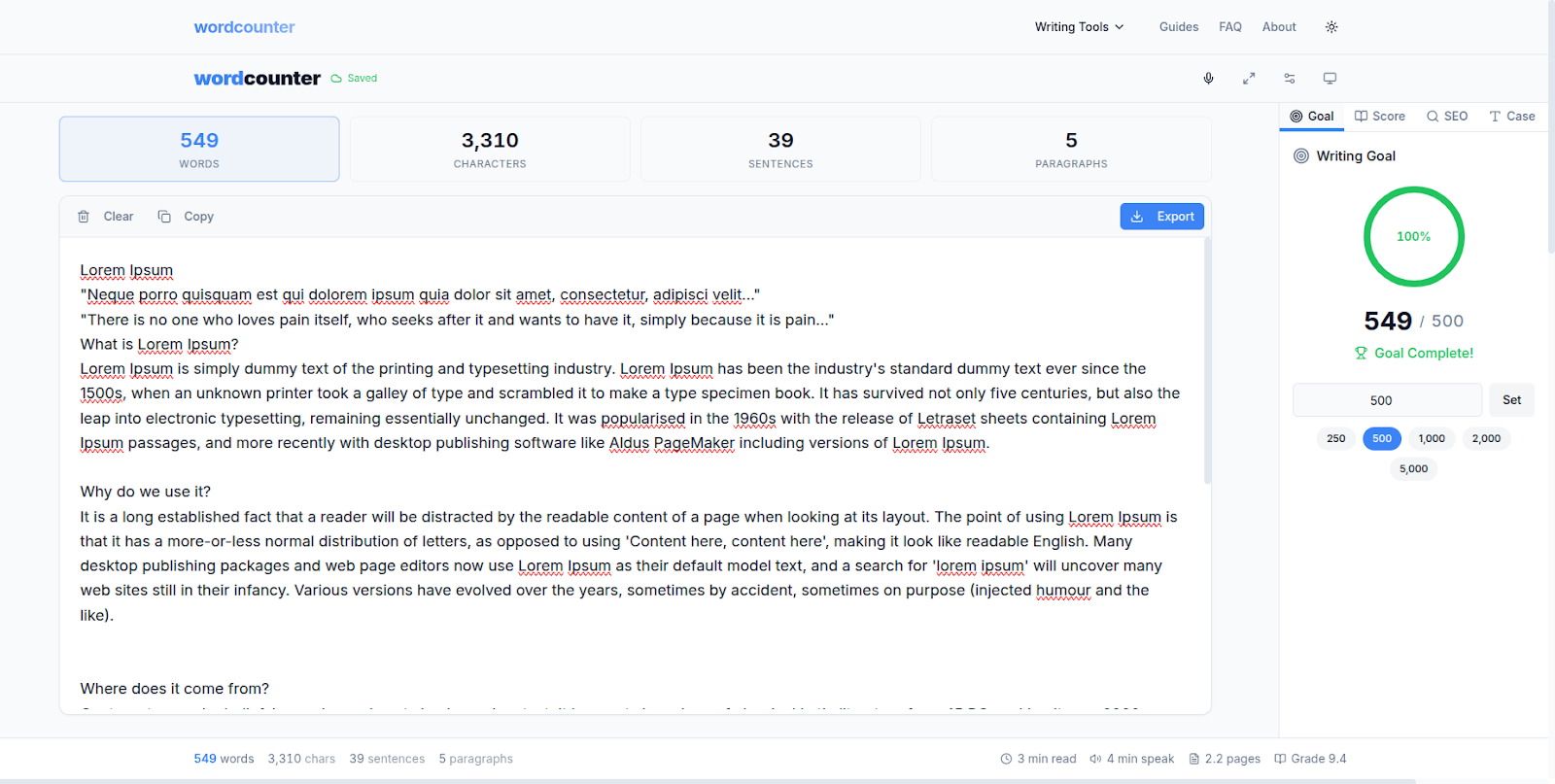
WordCounter shows keyword density, reading time and sentence count instantly.
Word Count Requirements for Common Writing Types
Here is a quick reference guide for word count targets across different writing contexts:
Academic writing: College admission essay 250–650 words. Undergraduate essay 1,500–5,000 words. Graduate personal statement 500–1,000 words. Research abstract 150–300 words. Dissertation 10,000–15,000 words.
Blog and content writing: Short blog post 500–800 words. Standard blog post 1,000–1,500 words. In-depth guide 2,000–3,500 words. Pillar content 3,500–5,000 words.
Social media: Twitter/X post 280 characters maximum. Instagram caption 125–150 characters optimal. LinkedIn post 150–300 words optimal. Facebook post 40–80 words optimal.
Professional writing: Cover letter 250–400 words. Resume 400–600 words. Business email 50–125 words. Executive summary 150–250 words.
Frequently Asked Questions
Is WordCounter completely free?
Yes — completely free with no hidden fees, no premium tiers and no account required. WordCounter is built and maintained by VelocityAI Solutions as a free tool for students, writers and professionals.
Does WordCounter store my text?
No. WordCounter processes your text entirely in your browser — nothing is sent to any server. Your writing stays completely private on your own device. This is especially important for students working on original essays and professionals handling confidential documents.
What is keyword density and why does it matter?
Keyword density is the percentage of times a specific word appears in your text relative to the total word count. For SEO writing, maintaining a keyword density of 1% to 2% for your primary keyword helps search engines understand what your content is about without triggering keyword stuffing penalties. WordCounter calculates this automatically for every word in your text.
How is reading time calculated?
Reading time is calculated based on the average adult reading speed of approximately 200 to 250 words per minute. For a 1,000-word article, the estimated reading time would be approximately 4 to 5 minutes. WordCounter displays this instantly alongside your word count.
Can I use WordCounter on my phone?
Yes. WordCounter is fully responsive and works on any device — desktop, laptop, tablet and smartphone. It works on both Android and iOS browsers without requiring any app installation.
How is WordCounter different from Google Docs word count?
Google Docs shows basic word and character count but does not show keyword density, reading time, speaking time or readability scores. WordCounter gives you all of these metrics simultaneously — making it a more complete writing analysis tool for SEO writers, students and content creators.
Tips for Hitting Your Essay Word Count
If you are under your word count: Expand your examples with more specific detail. Add a real-world case study or scenario to illustrate each main point. Include a frequently asked questions section. Add transition paragraphs between sections to improve flow and increase depth.
If you are over your word count: Look for redundant phrases — words like "in order to" can become "to", and "due to the fact that" can become "because". Cut adverbs and replace them with stronger verbs. Remove any paragraphs that repeat points already made earlier in the essay.
For SEO writing: Use the keyword density checker to ensure your primary keyword appears naturally throughout the text. Aim for 1% to 2% density. Check that your secondary keywords appear at least once each. Use the readability score to ensure your content is accessible to your target audience.
Conclusion
A good word counter does not just count words — it gives you the full picture of your writing so you can improve it. WordCounter gives you word count, character count, sentence count, reading time, speaking time, keyword density and readability score — all instantly, all free, all in your browser with no signup required.
Whether you are finishing a college essay, optimizing a blog post for Google or preparing a speech — wordcounter.nzuki.com has everything you need.
Also check out our other free browser-based tools: SwiftPix for image conversion and PDFStream for PDF tools — all free, all private, zero uploads.
🚀 Need a Professional Website or Custom Tool for Your Business?
VelocityAI Solutions builds AI-powered websites, mobile apps and business automation tools for businesses in Nairobi and beyond — at startup-friendly prices.
✅ Web Development | ✅ Mobile Apps | ✅ Business Automation | ✅ Cybersecurity
🌐 velocity-ai-solutions.nzuki.com
💬 WhatsApp: +254 735 644 100
📩 info.nzuki@gmail.com


0 Comments