

Most writers check their word count before publishing. Fewer check their keyword density. Almost nobody checks their readability score, reading time, sentence structure and keyword distribution all at once — before hitting publish.
That is a problem. Because in 2026, Google does not just rank pages for having the right keyword in the right place. It ranks pages that are well-written, clearly structured, easy to read and genuinely useful to the person searching. Word count is just one piece of that puzzle.
In this guide we will explain what keyword density actually means in 2026 — why the old rules no longer apply — and how to use WordCounter to analyze every important writing metric at once, completely free, with no signup and no upload.
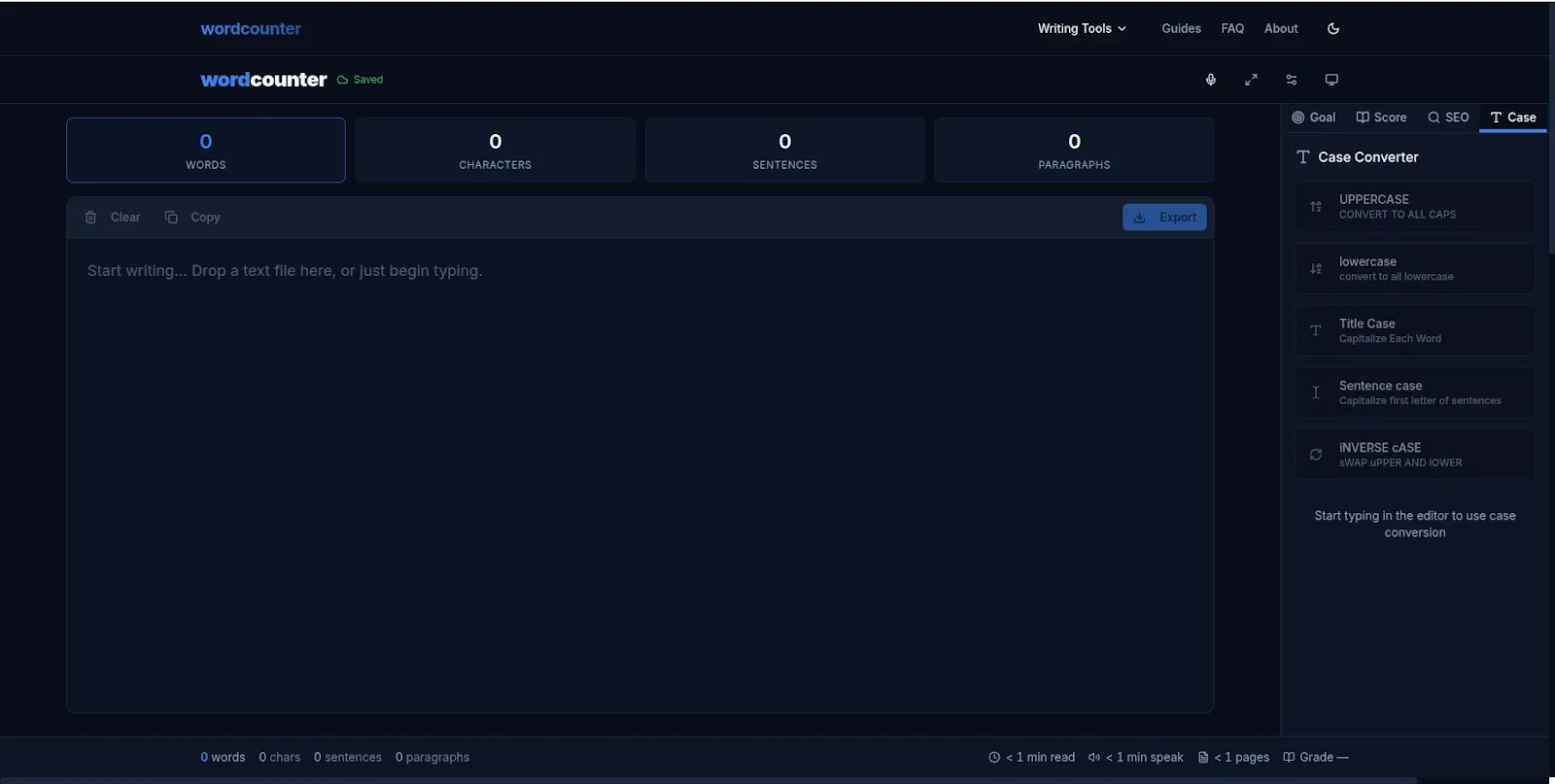
WordCounter — Free word counter with keyword density, reading time and readability score.
What Is Keyword Density and Does It Still Matter in 2026?
Keyword density is the percentage of times a specific word or phrase appears in your content relative to the total word count. For example — if you write a 1,000-word article and your target keyword appears 15 times, your keyword density is 1.5%.
In the early days of SEO, keyword density was treated as a ranking signal. The more you used a keyword, the more relevant Google considered your page. This led to an era of keyword stuffing — content that read awkwardly because writers were cramming in keywords at every opportunity.
Google's algorithms have evolved significantly since then. Today, keyword stuffing is penalized — not rewarded. Modern Google cares far more about topical relevance, natural language, user experience and content depth than it does about hitting a specific keyword percentage.
But keyword density still matters — just differently.
Checking keyword density in 2026 is less about hitting a target number and more about:
- Ensuring your primary keyword appears naturally throughout your content
- Identifying overused words that make your writing feel repetitive
- Spotting underused keywords that should appear more often
- Understanding whether your content is actually focused on your intended topic
- Avoiding accidental keyword stuffing that could trigger penalties
The ideal keyword density for most topics in 2026 is between 1% and 2% — but the more important goal is that your keyword appears naturally, in context, throughout your content without forced repetition.
Why Word Count Alone Is Not Enough for SEO
Many writers focus entirely on word count — aiming for 1,000 words, 1,500 words or 2,000 words based on what they have read about SEO best practices. Word count matters, but it is only one of several writing metrics that influence how well your content performs.
Here is what you should be measuring before you publish any piece of content:
Word count: The foundation. Long-form content tends to rank better for competitive keywords because it covers topics more comprehensively. But length without quality is worthless — 2,000 words of thin content will never outrank 1,000 words of genuinely useful, well-structured writing.
Keyword density: Are you using your target keyword naturally throughout the piece? Are you accidentally overusing certain words? Are important semantic keywords appearing at least once?
Reading time: Your readers want to know how long your content will take before they commit to reading it. Displaying an estimated reading time reduces bounce rate — readers who know what they are signing up for are more likely to stay and finish.
Readability score: Is your content written at the right level for your target audience? A technical guide for developers needs a different reading level than a beginner's tutorial. Content that is too complex loses casual readers. Content that is too simple fails to satisfy expert audiences.
Sentence and paragraph structure: Short sentences and short paragraphs are easier to read on mobile screens — which is where the majority of your readers are. Long blocks of text without breaks drive readers away before they reach your key points.
What Is WordCounter and What Does It Measure?
WordCounter is a free browser-based writing analysis tool built by VelocityAI Solutions that gives you all of these metrics simultaneously — instantly, as you type or paste your content, with no signup and no upload required.
Here is everything WordCounter measures in real time:
- Word count — total words in your content
- Character count — with and without spaces
- Sentence count — total sentences
- Paragraph count — total paragraphs
- Reading time — estimated minutes for an average reader
- Speaking time — useful for presentations and video scripts
- Keyword density — frequency of every word as a percentage
- Top keywords — most used words ranked by frequency
- Readability score — education level required to understand your writing
Everything updates in real time as you type — no button to click, no file to upload, no account needed.
How to Use WordCounter to Analyze Your Content Before Publishing
Step 1: Open WordCounter
Go to wordcounter.nzuki.com in any modern browser on desktop or mobile. No account, no installation, no signup required.
Step 2: Paste Your Content
Copy your draft article, blog post, essay or script and paste it into the WordCounter text area. All metrics update instantly — you will see your word count, character count and other stats appear immediately.
Step 3: Check Your Keyword Density
Scroll to the keyword density section. Find your primary keyword in the list and check its percentage. For SEO content, aim for 1% to 2% density. If it appears below 1% — work it in more naturally. If it appears above 2.5% — reduce repetition to avoid over-optimization penalties.
Step 4: Check Your Top Keywords
Review the top keywords list — the most frequently used words in your content. Check that your primary and secondary keywords appear in this list. Also check for overused filler words that are padding your word count without adding value.
Step 5: Check Reading Time and Readability
Review your estimated reading time — this is useful for adding a reading time indicator to your blog post header, which reduces bounce rate. Check your readability score and compare it to your target audience. Adjust sentence length and vocabulary complexity if needed.
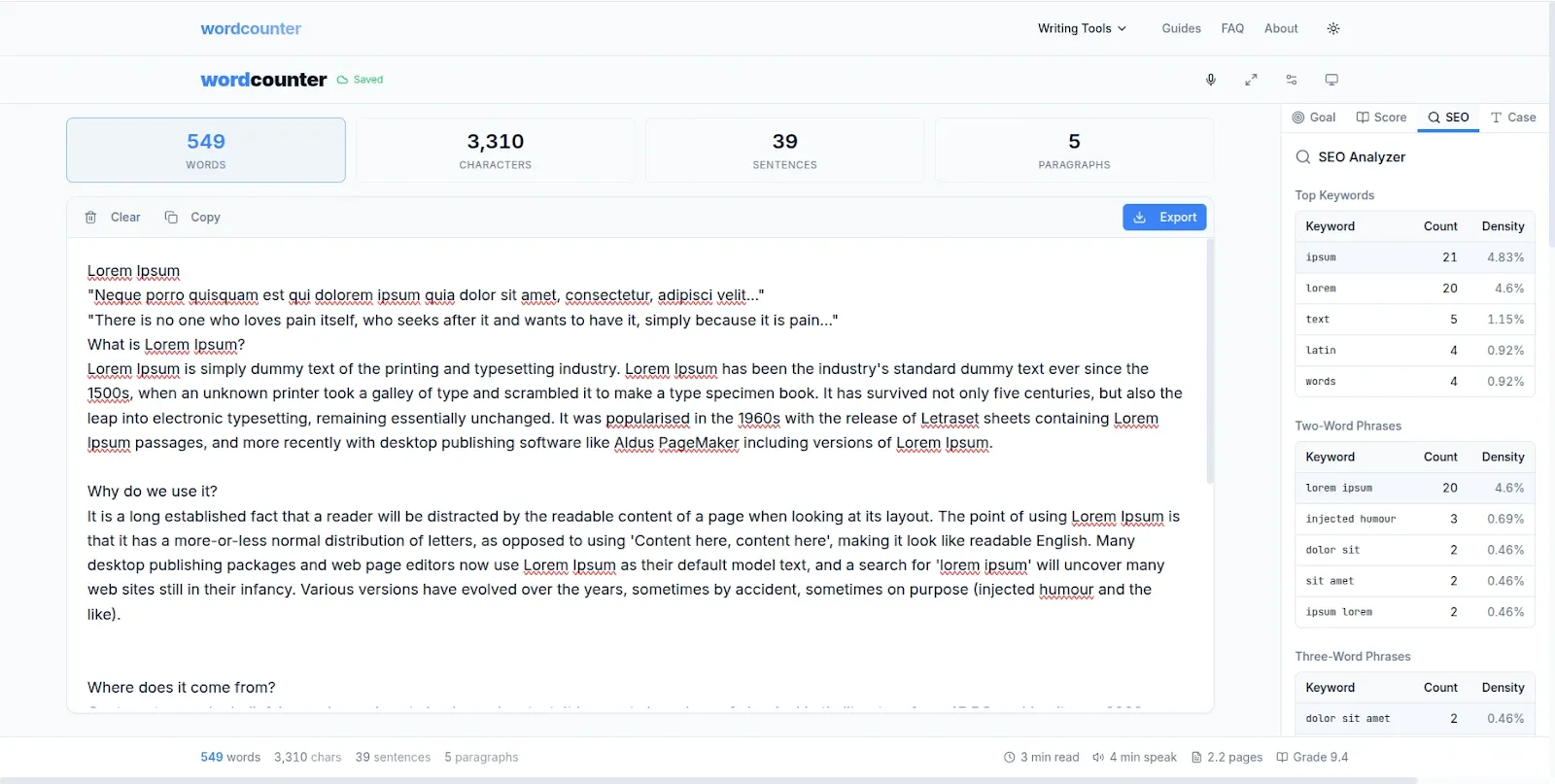
WordCounter shows keyword density, reading time, sentence count and readability instantly.
Practical Tips for Using Keyword Density Data to Improve Your Content
Focus on semantic keywords, not just your primary keyword: Modern SEO rewards content that covers a topic comprehensively. Use WordCounter's keyword list to check that related terms and synonyms appear naturally throughout your content — not just your exact primary keyword repeated over and over.
Use the top keywords list to spot thin content: If your top keywords list is dominated by generic words like "the", "and", "is" rather than topic-specific terms, your content may be too thin. Substantive content about a specific topic should show relevant topic keywords in the top 10 list.
Check before every publish: Make WordCounter part of your standard pre-publish checklist alongside spell checking and link checking. A two-minute analysis before publishing can identify keyword stuffing, thin content and readability issues that would otherwise hurt your rankings.
Use reading time for social media promotion: When sharing your article on LinkedIn, Twitter or Facebook, including the reading time ("5 min read") in your caption consistently increases click-through rates — readers appreciate knowing the commitment before clicking.
Match readability to your audience: A beginner's guide should score at a lower readability level than a technical deep-dive. Use WordCounter's readability score to calibrate your writing style to your target reader — not just your preferred writing style.
Frequently Asked Questions
What is the ideal keyword density in 2026?
There is no single perfect number — but most SEO professionals recommend keeping your primary keyword density between 1% and 2% of total word count. More important than hitting a specific percentage is ensuring your keyword appears naturally throughout your content in context. Avoid forcing the keyword where it does not fit naturally — Google's algorithms can detect and penalize unnatural keyword usage.
Is WordCounter free to use?
Yes — completely free. No account, no signup, no hidden fees and no daily limits. WordCounter is built and maintained by VelocityAI Solutions as a free tool for writers, bloggers, students and SEO professionals.
Does WordCounter store my content?
No. WordCounter processes your text entirely in your browser — nothing is sent to any server. Your writing stays completely private on your own device. This is especially important for writers working on original content, journalists handling sensitive material and professionals working with confidential documents.
How is keyword density calculated?
Keyword density is calculated by dividing the number of times a keyword appears by the total word count, then multiplying by 100 to get a percentage. For example — if your keyword appears 15 times in a 1,000-word article, your keyword density is 1.5%. WordCounter calculates this automatically for every word in your text.
Can I use WordCounter on mobile?
Yes. WordCounter is fully responsive and works on any device — desktop, laptop, tablet and smartphone on both Android and iOS — without any app installation required.
How is WordCounter different from just using Google Docs?
Google Docs shows basic word and character count but does not provide keyword density, reading time, speaking time or readability scores. WordCounter gives you all of these metrics simultaneously in real time — making it a far more complete writing analysis tool for anyone producing content for the web.
Conclusion
Good SEO writing in 2026 goes beyond word count. It requires the right keyword density, the right readability level, the right reading time and a clear structure that keeps readers engaged from the first sentence to the last.
WordCounter gives you all of these insights in one place — completely free, instantly, with no signup and no upload required. Make it part of your writing workflow and publish content that is genuinely optimized — not just long.
Go to wordcounter.nzuki.com and analyze your next piece of content before you publish.
Also check our other free browser-based tools: free word counter for essays, convert PNG to WebP free, compress images to 50KB and merge PDFs without uploading.
🚀 Need a Professional Website or Custom Tool for Your Business?
VelocityAI Solutions builds AI-powered websites, mobile apps and business automation tools for businesses in Nairobi and beyond — at startup-friendly prices.
✅ Web Development | ✅ Mobile Apps | ✅ Business Automation | ✅ Cybersecurity
🌐 velocity-ai-solutions.nzuki.com
💬 WhatsApp: +254 735 644 100
📩 info.nzuki@gmail.com


0 Comments